TATIANA CASTEJON Client Experience & Marketing Operations Specialist
I build structured lead-to-onboarding systems and client workflows for service-based online businesses — ensuring smooth enrollment, organized communication, and scalable growth.
Case Study:
Lead-to-Client Workflow system
Designed and structured a client lifecycle workflow connecting lead capture, consultation booking, CRM organization, and automation — creating a repeatable process for managing client inquiries and onboarding.This system supports the full client journey from initial awareness to post-service follow-up, ensuring consistent communication and operational visibility.
Workflow Design & Lifecycle Structure
This lifecycle map translates the client journey into a structured workflow, connecting marketing touchpoints, scheduling, client intake, CRM, and follow-up processes. Each stage is supported by automation and repeatable actions to ensure a consistent client experience and reduce manual coordination.

* Workflow shows key touchpoints from inquiry to post-service follow-up.
Tools & Systems
This project demonstrates a simple client workflow connecting lead capture, booking, CRM management, and automation tools.

Carrd
Lead Capture
Landing page structured to guide visitors toward direct consultation booking.Impact: Captures 20–30 leads/week automatically.
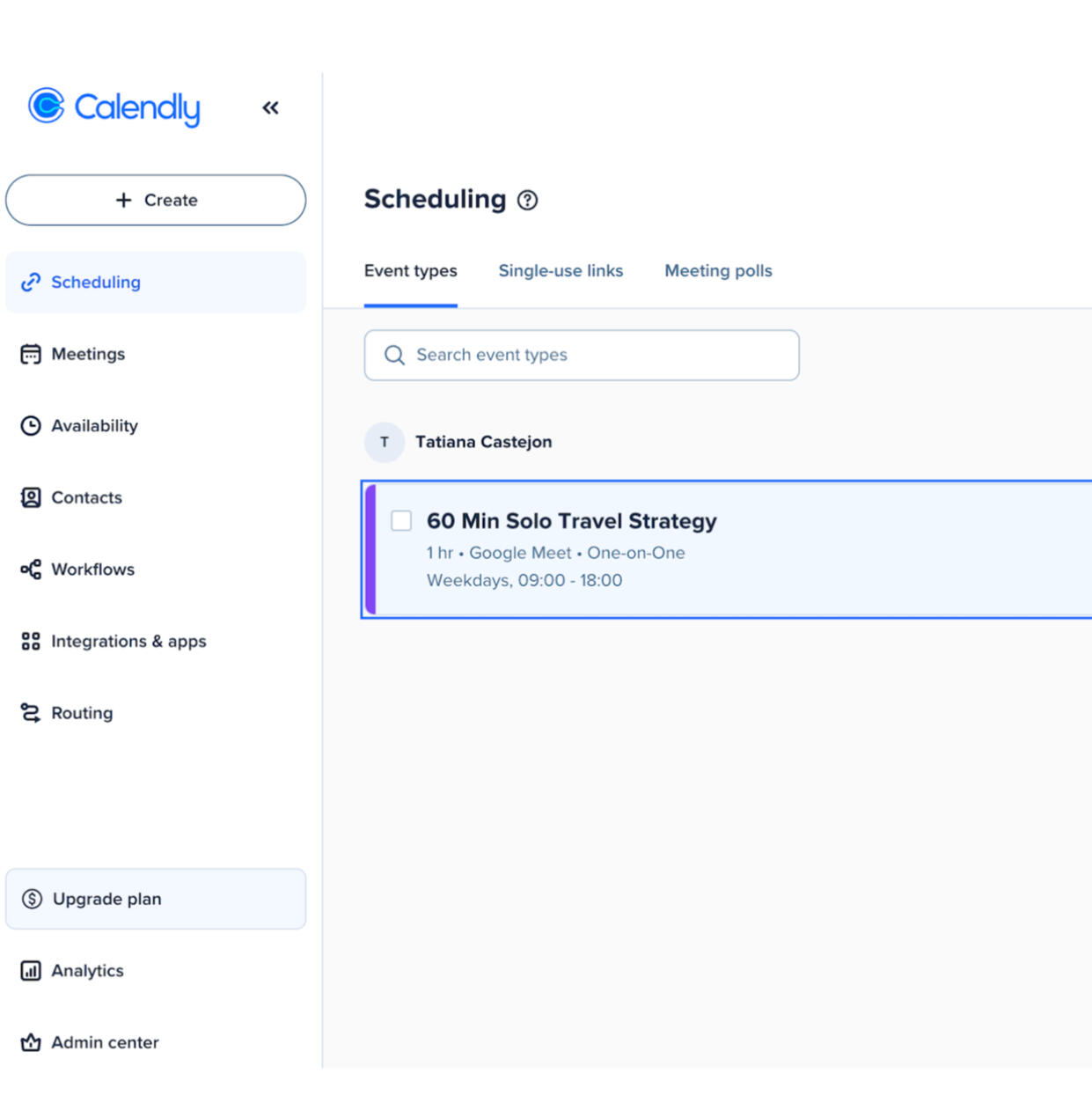
Calendly & Stripe
Booking & Payment
Self-booking system with automated confirmations and calendar integration.Impact: Eliminates 100% of manual scheduling, ensures commitment.
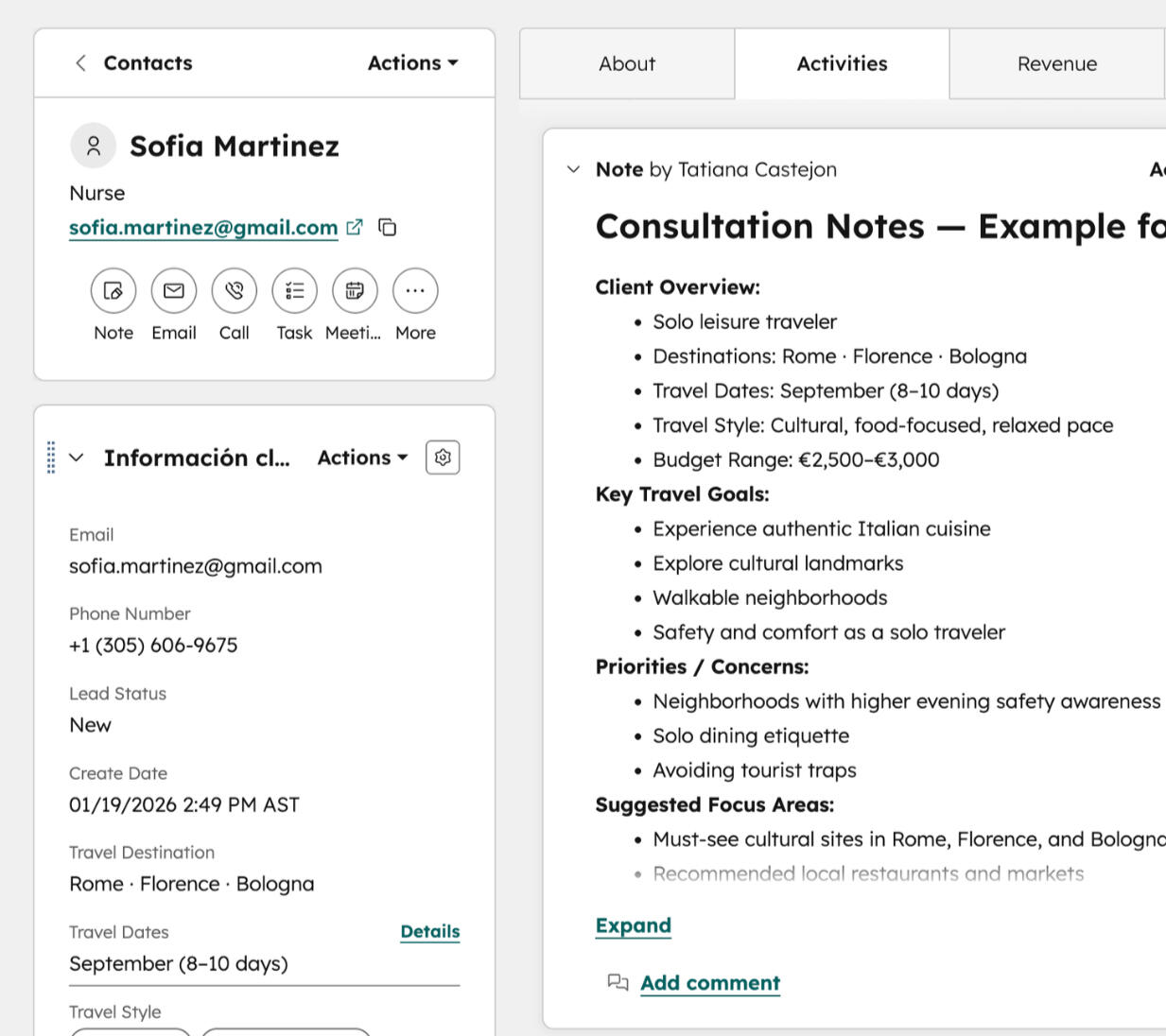
HubSpot
CRM Pipeline
Client stages are organized for visibility, tracking, and structured follow-up.Impact: Complete records ready for follow-ups and onboarding.
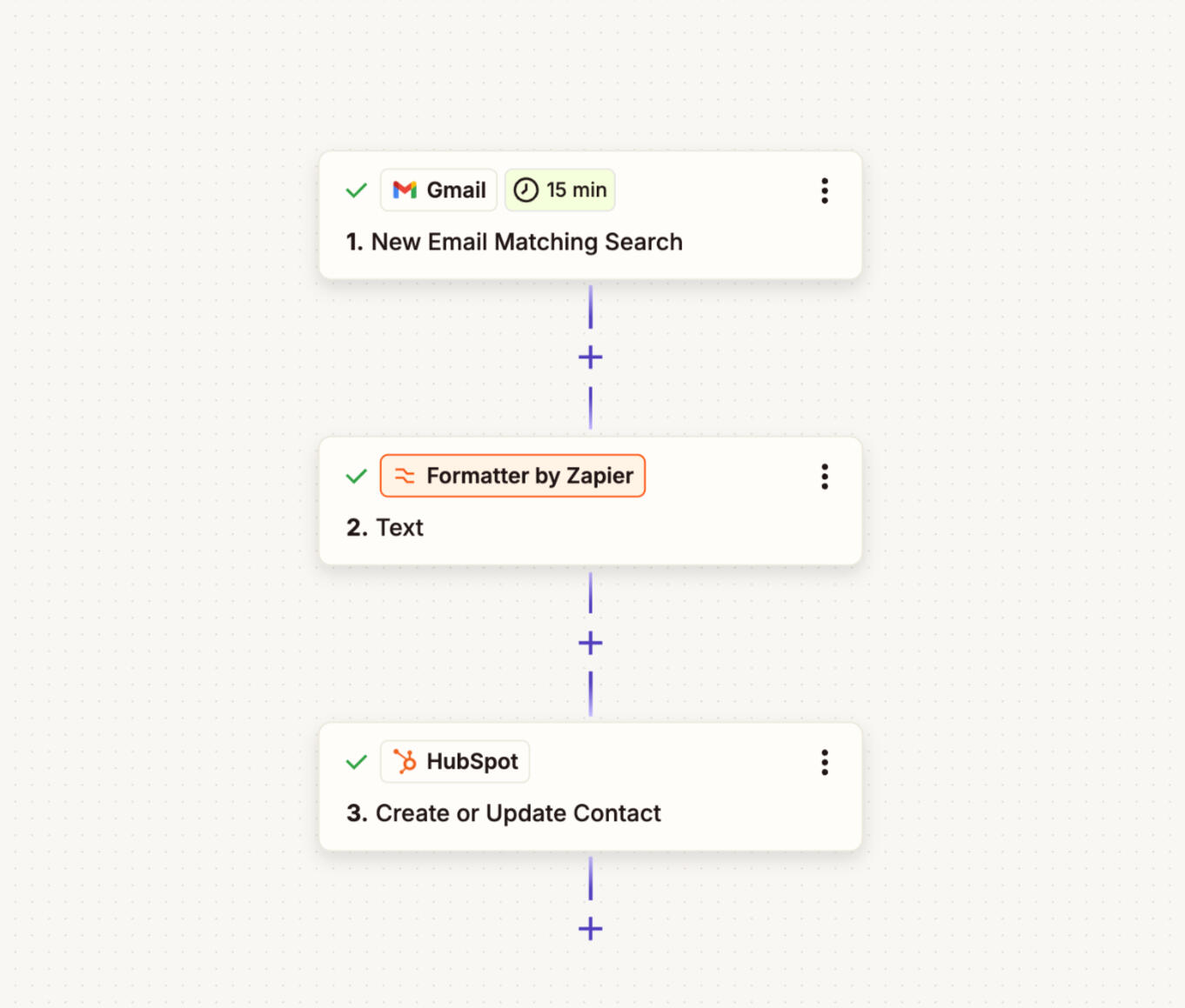
Zapier
Automation Flow
Connected booking, intake, and email confirmations to reduce manual coordination.
Impact: Reduces errors, keeps communication consistent.
Business Impact
The implemented workflow created a structured and repeatable process for managing new client inquiries and service delivery.Key operational improvements included:• Centralized tracking of all client interactions within the CRM
• Reduced manual scheduling and follow-up tasks
• Clear and consistent onboarding communication
• Improved organization of client data and service documentation
• A scalable process capable of supporting increased client volumeThis structure allows a small team or service provider to manage leads more efficiently while maintaining a professional and consistent client experience.
How I Can Support Your Team
Backed by 15+ years in client-facing environments, I bring responsibility, structure, and a people-first approach to marketing, operations, and sales workflows.I focus on building clear, repeatable processes that help teams stay organized, guide clients smoothly from first inquiry to follow-up, and capture, nurture, and convert leads efficiently.I thrive in teams where:
• Processes reduce confusion and manual follow-up
• Client communication and marketing campaigns are automated
• Leads and sales pipelines are visible and organized
• Team members are supported and accountable
• Calm, structured operations keep everything running smoothlyI enjoy taking initiative, supporting colleagues, and helping systems, teams, and people work together efficiently.
Systems & Tools I Work With
Software & Tools
HubSpot CRM | Carrd | Calendly | Tally | Typeform | Stripe | Zapier | Google Ads | Google Analytics | Looker Studio | Trello | Slack | Canva | Asana | TeamGantt | Notion | LinkedIn Sales Navigator | Claude | ChatGPT
Client & Operational
Client onboarding | Workflow design | Process documentation | Program coordination | Automation & integrations | Written communication
Marketing & Digital
Email campaigns (Mailchimp / Klaviyo) | Social media content planning | Landing page creation | Automation setup | Reporting & analytics | CRM management
Languages
Spanish — Native| English — Bilingual| Italian — Advanced|
Portuguese — Advanced| French — Intermediate | Japanese — Beginner
Let’s Work Together
If your team needs support with client workflows, marketing operations, CRM systems, or sales pipeline management, I’d love to connect.I’m currently open to remote opportunities with small and mid-sized teams.